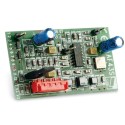
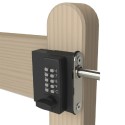
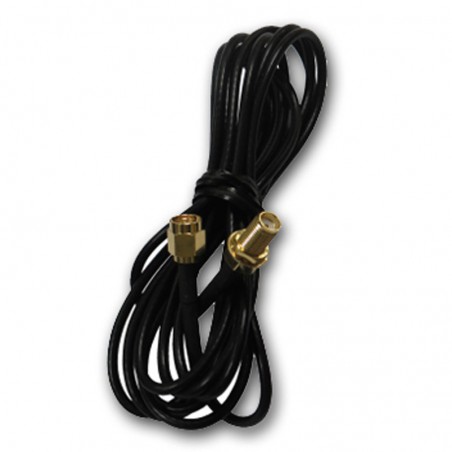
Find antennas and aerial cable for gate radio receivers. Start with the receiver's model, frequency and antenna connection, then choose the mounting style and cable length you need. If a remote is incompatible with the receiver, changing the aerial will not make it work.
Looking for a GSM intercom or gateway aerial? Those use a different communication system: identify that device first and use the phone-access route or intercom spares for identification help.
Check the full reference on your receiver, aerial or gateway before ordering. CAME's 433 MHz and 868 MHz gate-radio aerials are different references; a cable or GSM fly lead is a different part again. If the label is unreadable, send us a photograph of the equipment and its connection and we can help identify the correct item.
Start with the receiver model and its installation instructions. This range includes aerials for different radio systems: CAME TOP-A433N and TOP-A862N, for example, are different references. Keep the full reference when looking for a replacement.
Check the antenna connection, cable type and any required termination. If those details are missing, send us the receiver reference and a photograph of its connection so we can help narrow the choice.
Will an external antenna fix poor remote range?
An external aerial may help, but first check whether the problem affects one remote or every remote. Note where reception becomes unreliable and whether anything at the entrance has changed. Those details help identify whether the aerial, receiver, remote or surroundings need attention.
Receiver location, obstacles, interference, transmitter condition and cable arrangement can all affect range. Follow the receiver's installation guidance when choosing or changing cable; an aerial alone has no guaranteed range increase.
Antenna, cable, fly lead or complete kit?
Choose the part you actually need. Antenna cable, a fly lead, a mounting bracket and a complete aerial are different items. Check the selected listing for the cable length and any connectors or fixings supplied.
Is a GSM aerial suitable for a gate remote?
A GSM gateway or mobile intercom uses a different communication system from a handheld gate remote. Send us the device reference and existing aerial details if you are unsure which type you need.