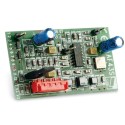
Adding or replacing a gate radio receiver? Start with the full reference on your control board and the remotes you want to keep. We can help you identify whether you need an external receiver, a plug-in card or one component of a larger radio system.
Need another handheld fob instead? Browse gate remote controls. If you already know the required part number, go straight to that product and check its supplied contents.
current category:
Gate radio receivers and receiver cards
Customer reviews
4.8 rating of 681 reviews
R
R. Routledge
Verified purchase
14/08/2026 12:16:08
Prompt delivery and excellent communication throughout
Good value. Prompt delivery and excellent communication throughout.
More about Gate radio receivers and receiver cards
External receiver, plug-in card or radio module?
Plug-in receiver or card: choose the connection specified for your control board.
External receiver: check its power supply, output and the input available on your controller.
RF module or decoder: check which other parts are needed to make a complete receiving system.
Replacing a BFT or CAME receiver?
Keep the full code from the existing receiver and remote. BFT's CLONIX 2, CLONIX 2E and CLONIX 4 RTE are separate receiver choices; CAME's AF43S plug-in card and RE432M receiver/decoder are different types of part. If you are unsure which you have, send us photographs of the labels and your gate control board. We can help identify the right listing and any other parts it needs.
Looking for a BFT MIME AC receiver?
We list the BFT MIME AC receiver card. Match its full reference, supply and connection to your existing system and remotes. It is radio receiving equipment, not a phone or Wi-Fi control device. If you meant app-based access, browse phone and app gate control as a different task, or send us the code from the BFT unit you are replacing.
What must match the existing remotes?
Record the transmitter family, frequency and coding protocol, together with the receiver's supported enrolment method. Two remotes can use the same frequency but different coding. The number of buttons on a fob also tells you nothing about how many separate outputs the receiver provides.
A useful example: Nice OXIBD
The Nice OXIBD instructions specify an SM-type connection and supported coding families. The first one-way remote stored in an OXIBD sets the coding for later one-way remotes. If you already have working remotes, tell us their references so we can check the new choice against the receiver's current setup. Keep its stored remotes intact during identification.
What does FAAC FDS 433–868 mean?
FDS is a named radio system, not a universal frequency adapter. FAAC lists RP FDS 787021, RP2 FDS 787022 and XF FDS 787025 as separate references in its FDS range. Match the required reference to the documented board and transmitter combination rather than choosing solely by the two frequencies.
Replacing an obsolete receiver or adding a new system
An external receiver may offer a route to using a different compatible remote family without replacing the gate motor. That requires an appropriate controller input, supply and installation—not just an available space in the enclosure. Ask the installer to confirm the proposed combination and whether existing remotes will remain usable.
For a shared entrance, check who manages transmitter enrolment and removal. Keep the existing user list protected; new hardware does not automatically carry across stored permissions.
Before ordering
Photograph the readable receiver, board and remote labels, without opening powered equipment yourself.
Check the required channels, output behaviour and whether the radio card, housing or antenna is supplied separately.
Use the exact model instructions for wiring and programming; there is no universal terminal or learn-button procedure.